
Features
Invoicing
AvailableSend a VAT-ready invoice from a laptop or a phone, share it on WhatsApp, and know at a glance who has paid and who has not.
14-day free trial · No card needed
What it does
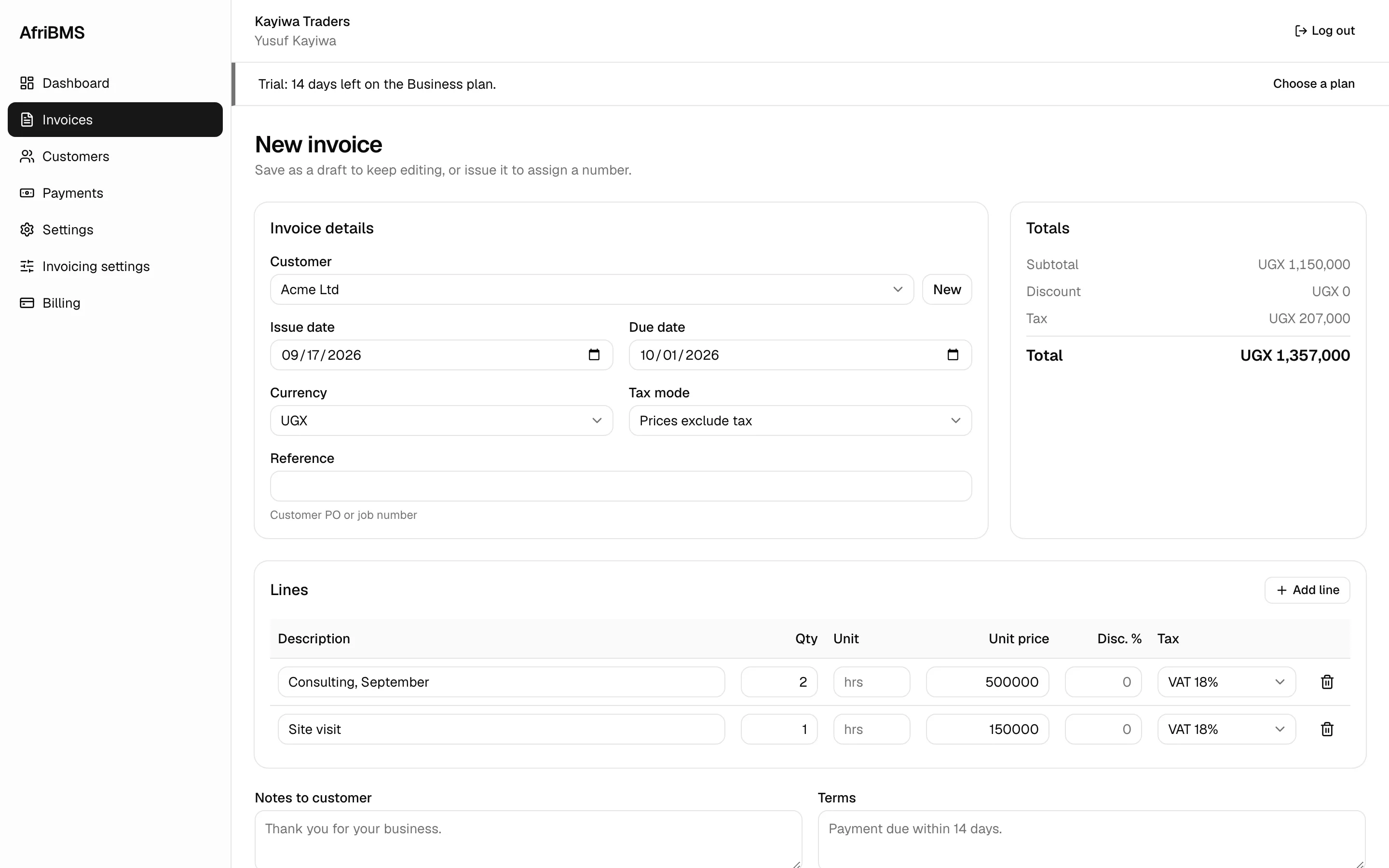
Invoices in the currency you sell in
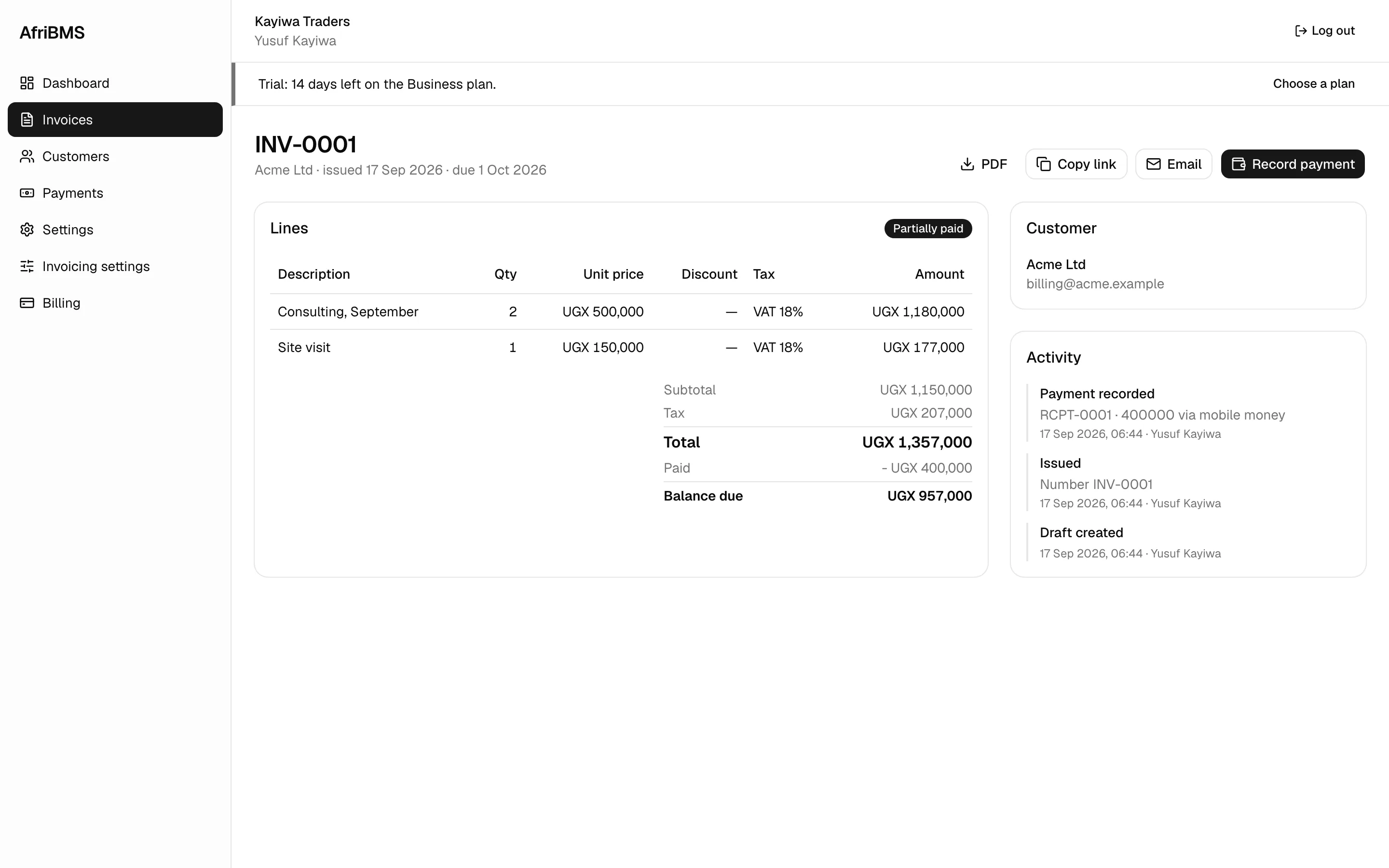
Bill in Ugandan shillings, Zambian kwacha or US dollars, with your logo, your TIN or TPIN and your payment details on every page. Set the VAT rate once and the tax line, the subtotal and the total work themselves out.
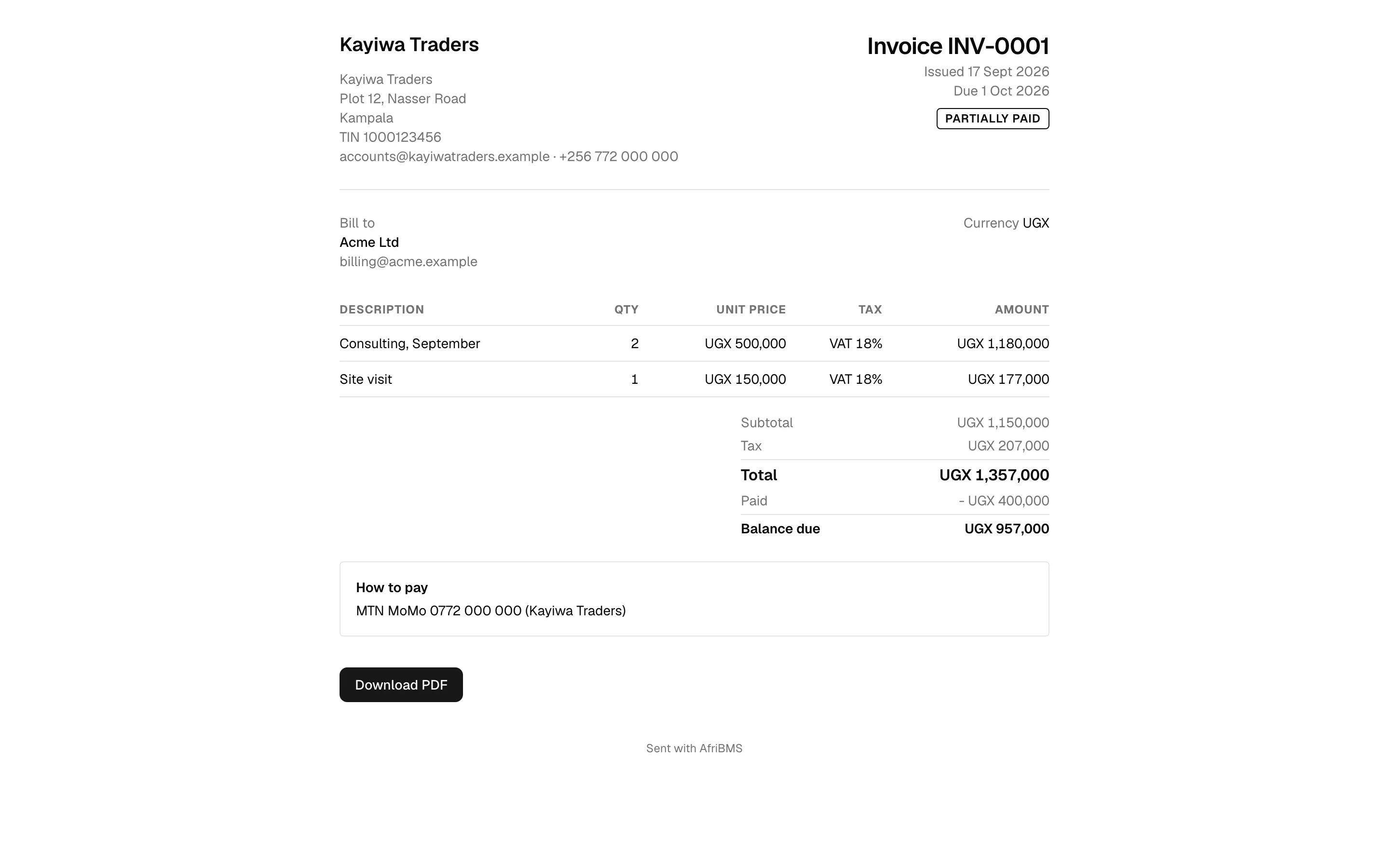
A link your customer can open on any phone
Every invoice gets its own page on the web. Email it or paste the link into WhatsApp: the customer opens it in the browser they already have, with no app to install and no account to create, and prints or saves the PDF from there.
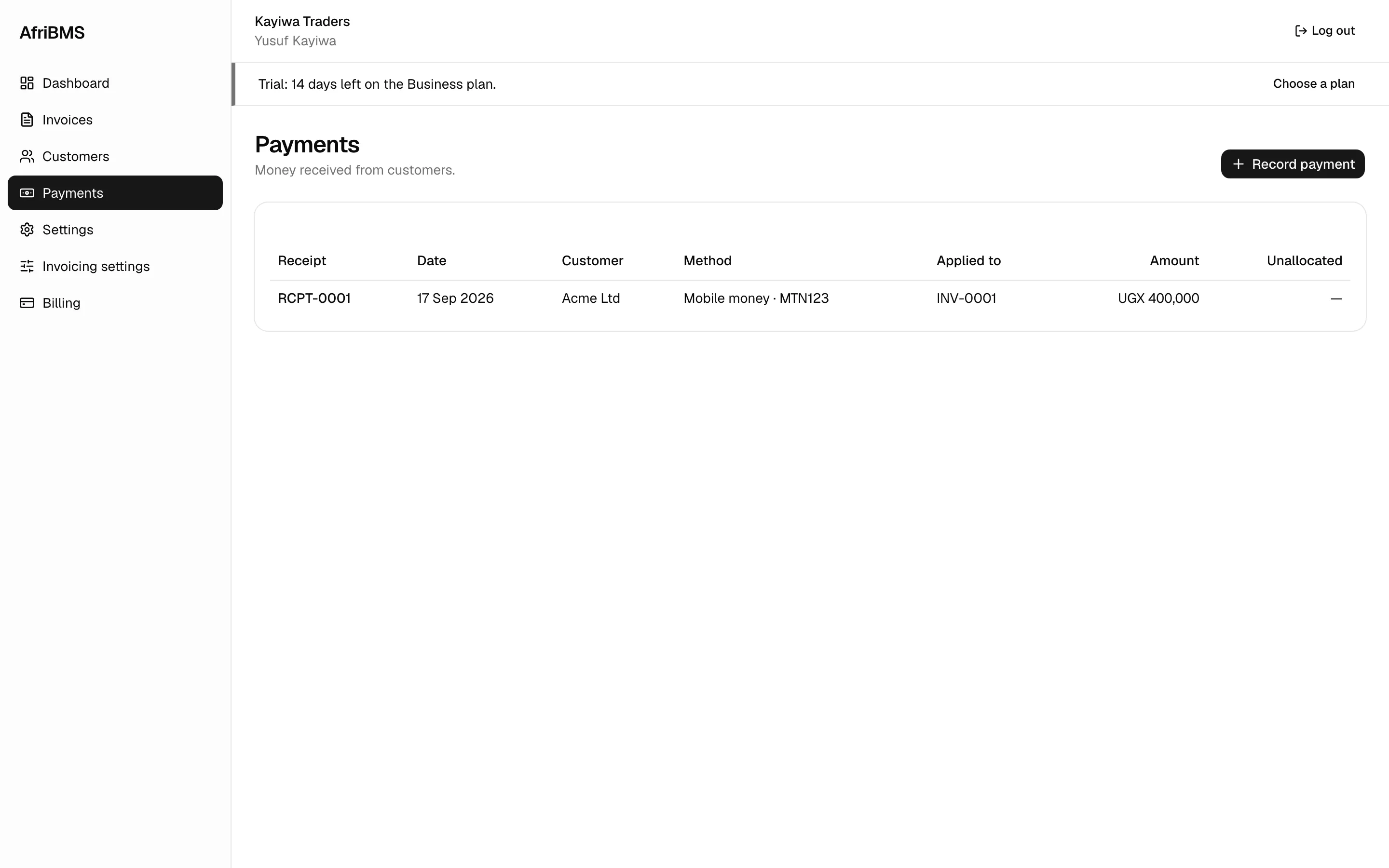
Mobile money, bank and cash in one record
Record an MTN or Airtel money payment with its transaction ID, a bank transfer with its reference, or cash taken over the counter. Part payments are normal here, so an invoice carries as many as it needs until the balance reaches zero.
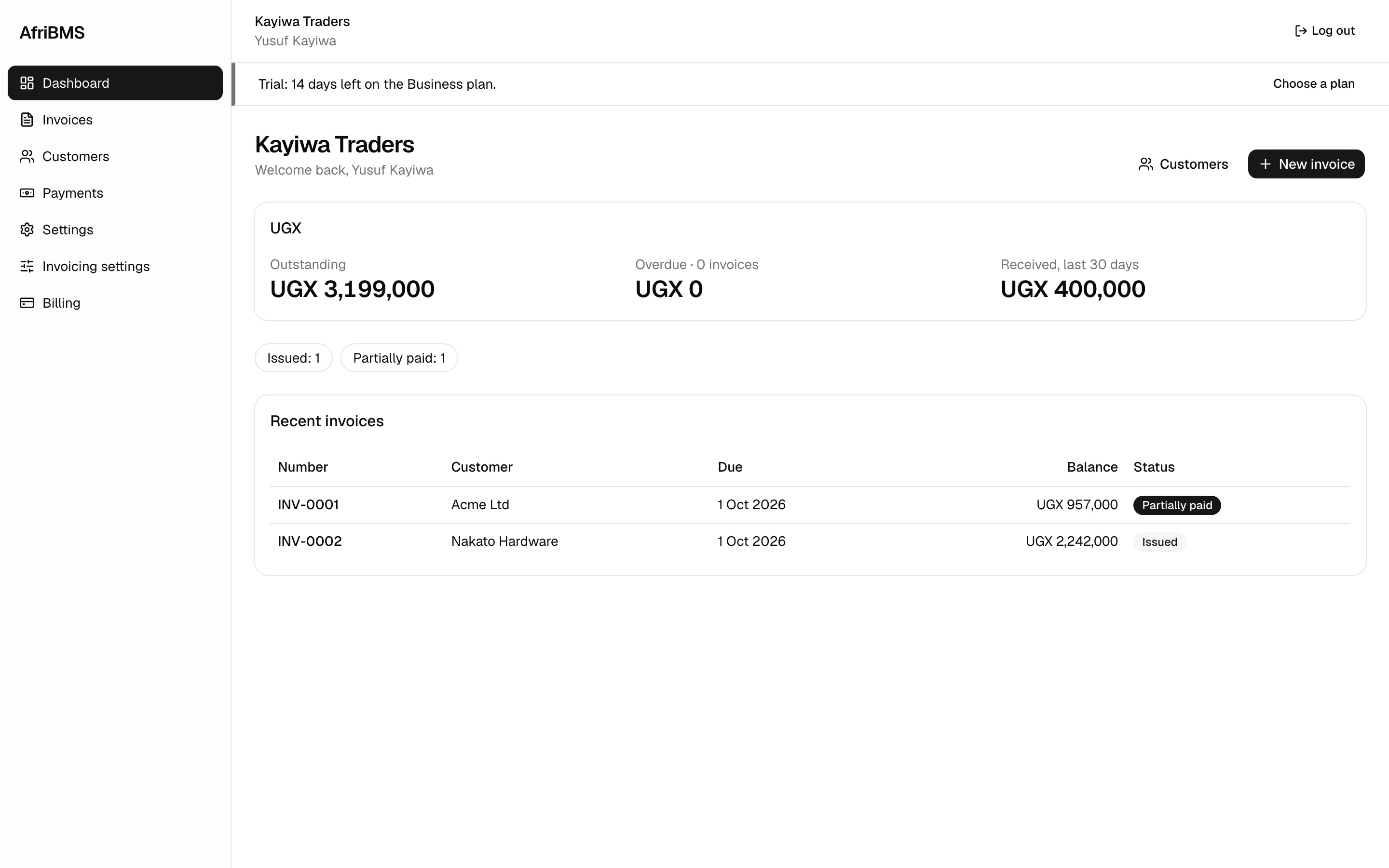
Know who owes you what
The dashboard shows what is outstanding, what is overdue, what was paid in the last 30 days and the invoices you raised most recently. The Monday question — who do we chase this week? — takes a glance instead of an afternoon with the file.
One customer list, with its history
Each customer keeps their own record: address, tax number, phone, every invoice you have sent and every payment they have made, so you can answer “what is still outstanding?” while they are on the line.
Who it is for
- Traders and wholesalers invoicing on 30-day terms who need to see what is ageing.
- Consultants, agencies and contractors billing in kwacha or shillings, and in dollars when the client is abroad.
- Any VAT-registered business that needs the VAT lines, the rates and its tax number right on every invoice, without an accountant on staff.
Questions about Invoicing
Is it ready for VAT?
On the invoice, yes. Put your TIN or TPIN and your VAT rates in company settings once, and every invoice carries the tax number, the tax lines and the totals. Electronic invoicing through URA's EFRIS and ZRA's Smart Invoice is planned and has not shipped yet.
Do my customers need an account to see their invoice?
No. They open the link, see the amount, the due date and your bank and mobile money details, and save or print the PDF. Nothing is asked of them.
Can they pay from inside the invoice?
Not yet. Today the customer pays the way they already do — MTN or Airtel money, bank transfer or cash — and you record it against the invoice. A “Pay now” button that collects through your own Flutterwave account is next on the invoicing roadmap.
Send your first invoice today
Create your company, add a customer and send a VAT-ready invoice in the next ten minutes.
14-day free trial · No card needed